AI video generator for business, presented by the people your audience already knows
IdClone is an AI video generator for business that puts a verified clone of a real person from your company on screen. Your trainer, sales rep, founder or support lead records two minutes once, passes a live consent check, and from then on the team types a script and gets a finished video of that person presenting it, in their own voice, in 30+ languages. This page walks through the five jobs companies use it for most and links to the detailed page for each one.
Why a clone of your own people beats a stock presenter
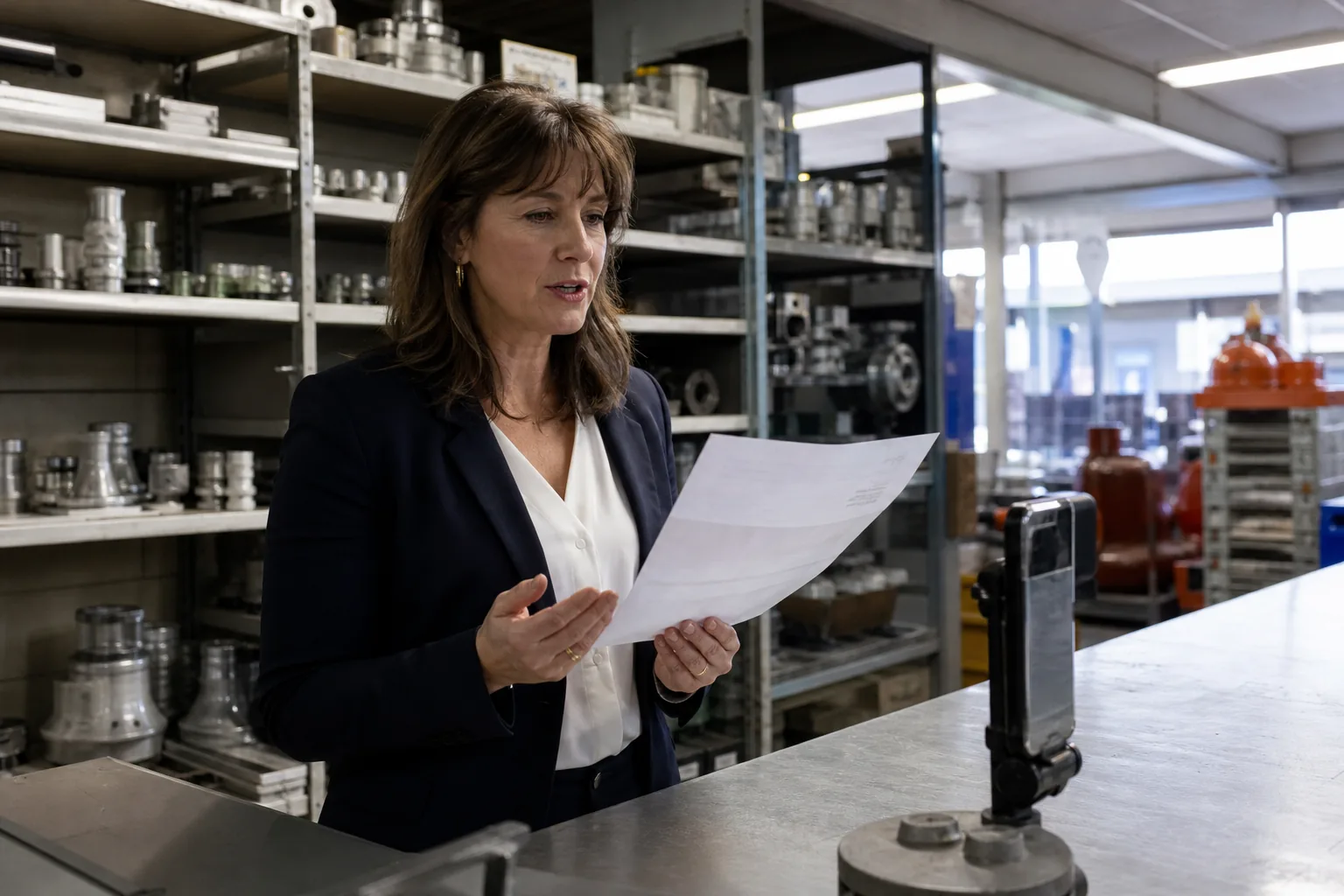
Business video works when the viewer recognizes the person speaking. New hires listen to the trainer they will meet on Monday. A prospect replies to the rep who will run the call. Customers read a product update differently when the founder says it. A stock presenter can read the same words, but it carries none of that trust, and viewers notice within seconds that the face on screen has nothing to do with the company.
The problem has always been the recording itself. Every update means booking the person, setting up light and sound, doing retakes and editing, and then repeating the whole session for each language. Most teams quietly stop recording and send long emails instead. IdClone removes the session. The person records once, and every later video starts from a script.
Training and onboarding updates from your real trainer
Policies change every quarter, software screens move, and compliance modules need a refresh each year. With IdClone the instructional designer edits the script, renders a new version presented by the same trainer, and replaces the old file in the learning platform the same afternoon. Scene splitting keeps each module short, the pronunciation dictionary holds product names and acronyms steady, and captions come with every export.
- Re-record a single changed paragraph instead of the whole course
- Keep one presenter across hundreds of lessons, even when that person is busy
- Ship the same module in Spanish, German or Portuguese from one approved script
Read the full guide on the AI training video generator page.
Sales follow-ups and outreach videos from the rep
A short video from the actual rep after a discovery call stands out in an inbox full of text. Reps type a few lines, the clone presents them, and the video goes out while the conversation is still fresh. On the Business and Enterprise plans the same template can be filled with first name, company and other variables through the AI avatar API, so a CRM step can produce a personal video for every new lead without the rep recording anything.
- One template, many personalized versions, each counted against plan minutes
- Every clone belongs to a rep who recorded their own consent
- An AI label can be shown on every export, which many buyers appreciate

Product announcements and changelog videos by the founder
Founders are the most requested and least available presenters in a company. With IdClone the marketing manager drafts the release note as a script, the founder reviews it in the workspace, and the AI spokesperson video renders in the brand kit with logo, colors, intro and outro already applied. Reviewers approve before anything is published, so nobody puts words in the founder's mouth without sign off.

Social clips and course lessons for creators in several languages
Coaches and course creators record lessons once and then keep adding to the library by typing. Voice-overs for intros, podcasts and course narration come from the voice clone and export as WAV or MP3. When a course sells well in one market, the same lessons go out in other languages with lip sync through the AI video translator, and you read the translation before anything renders.

Customer support explainers in the customer's language
Support teams answer the same how-to questions every week. A support lead records a clone once, the team writes short explainers for the most common tickets, and each explainer is rendered in the languages your customers write in. If you only need narration over screen recordings, the voice cloning module produces audio in the support lead's voice without any video minutes.
Which plan fits which team
Starter at $49 a month, or $24 a month billed yearly ($288), suits a solo founder or creator with one clone, 8 avatar video minutes and 40 voice clone minutes a month in 10 languages. Pro at $149, or $74 billed yearly ($888), gives a small marketing or sales team 2 clones, 25 video minutes, 120 voice minutes, 30+ languages, 3 seats and 4K export. Business at $499, or $249 billed yearly ($2,988), is where L&D teams and agencies land: 5 clones, 90 video minutes, 300 voice minutes, 10 seats, roles, approvals, client workspaces and API access. Enterprise at $1,499, or $749 billed yearly ($8,988), adds 20 clones, 300 video minutes, 700 voice minutes, 50 seats, SSO, SCIM and an uptime SLA. Translated versions count their length against video minutes. There is no free plan, but the preview is open to everyone.
The rule that applies to every use case
Every clone in IdClone belongs to a person who recorded their own consent. A colleague's clone is built only from footage they recorded through their own invite, after a live selfie check and a spoken consent statement. Public figures and politicians are blocked, and impersonation is not allowed in any use case. The details are on the consent and safety page.
Questions and answers
Can several people in one company have their own clones?
Yes. Each plan includes a set number of clones (1, 2, 5 or 20). Each person records their own training video and consent through their own invite, and a workspace owner decides who can render with which clone.
Which use case uses the most minutes?
Translation and API personalization usually do, because each language version and each personalized video counts its own length. A three minute training module in five languages uses fifteen avatar video minutes.
Can an agency produce videos for several clients?
Yes, on Business and Enterprise. Each client gets a client workspace, and each client's presenter records their own consented clone there. The agency writes and renders, the client reviews and approves.
Do we need a studio for the training recording?
No. A phone or webcam, a quiet room and even light are enough. The clone keeps your framing and background, so record where you want to appear.
Can we try it before paying?
Yes, with the preview. Paste a script, pick a use case and languages, and see the scene plan, duration and minute estimate on a recorded sample. Rendering with your own clone needs a paid plan.
Turn your next business video into a typed script
Paste a script from any of these use cases and see how it splits into scenes and how many minutes it needs.